In Sierra version 10.12 of macOS , the option to allow to open apps downloaded from anywhere is disabled. It is even not visible in the System Preferences.
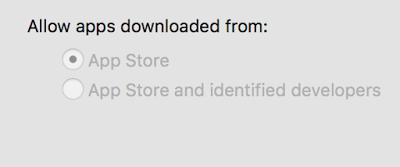
In order to activate it you have to do it over the Terminal.
1. Open the Terminal
2. In Terminal, enter or copy this:
sudo spctl –master-disable
3. You will be asked to type your password (it will not appear, however it is present)
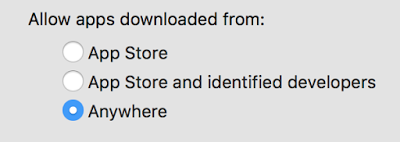
4. Done! Go to System Preferences and see the new option
Leave a Reply